
How to Deploy a Lovable App on Vercel
The preview works. On Vercel, a refresh 404s, the page is blank, or login returns to localhost. Here is why.
 EWS Automation
- 09 Nov, 2026

You can deploy a Lovable app on Vercel in an afternoon, until a refresh of /settings returns a 404, the screen is white, or sign‑in drops you on localhost. The preview did none of this.
Lovable's preview is a development server that already has the project's settings and answers every path. Vercel runs the production build from GitHub and serves it on an address nothing else has been told about. Bolt, Cursor, Replit, v0, and Claude Code hit the same gap when a project leaves the laptop.
What you are actually shipping

Open package.json before you change the Vercel dashboard. Lovable projects are not all one shape.
An older project is Vite plus React Router. The build writes a dist folder of static files, and there is no server in that output. The browser downloads index.html, starts the JavaScript, and only then does /settings become a page. Until that happens, /settings is a path with no file behind it.
A newer project uses TanStack Start, so the build includes a server. Server functions have to reach that server. Publish the project as a pile of static files and the shell may still appear, while the first action that needs the server fails.
The dependency list tells you which you have. @tanstack/react‑start or @tanstack/start means Vercel should run a server. vite plus react‑router‑dom, with only a dist directory as output, means a static app. For that second kind, the host has one job: return index.html for every route the router owns.
Lovable's GitHub sync commits to the repository's default branch. If that branch is also Vercel's production branch, every prompt ships. Create a production branch, point Vercel at it, and merge only when the default branch still does the one thing the app is for.
Get one successful build
Get the home page deployed before you debug sign‑in.
In Lovable, connect GitHub and confirm the push is on the default branch. Import that repository in Vercel. A second copy, pasted into a new repo, drifts from the project you are still prompting.
Set the framework from
package.json. Choose Vite when there is no TanStack Start dependency. Otherwise keep the preset Vercel detected for the server app.Use the
buildscript already in the repo, usuallynpm run build. For a Vite app the output directory isdist.buildandpublicare the wrong folders, and either one publishes a site with no application in it.Add the environment variables before this build, then deploy and open only the home page. Adding them afterwards does not repair a deployment that already finished.
If the deployment fails, read the build log. It names the missing module, the Node version, or the empty variable. When the chat rewrites a file the log did not mention, restore the last preview that loaded.
Fix the refresh 404
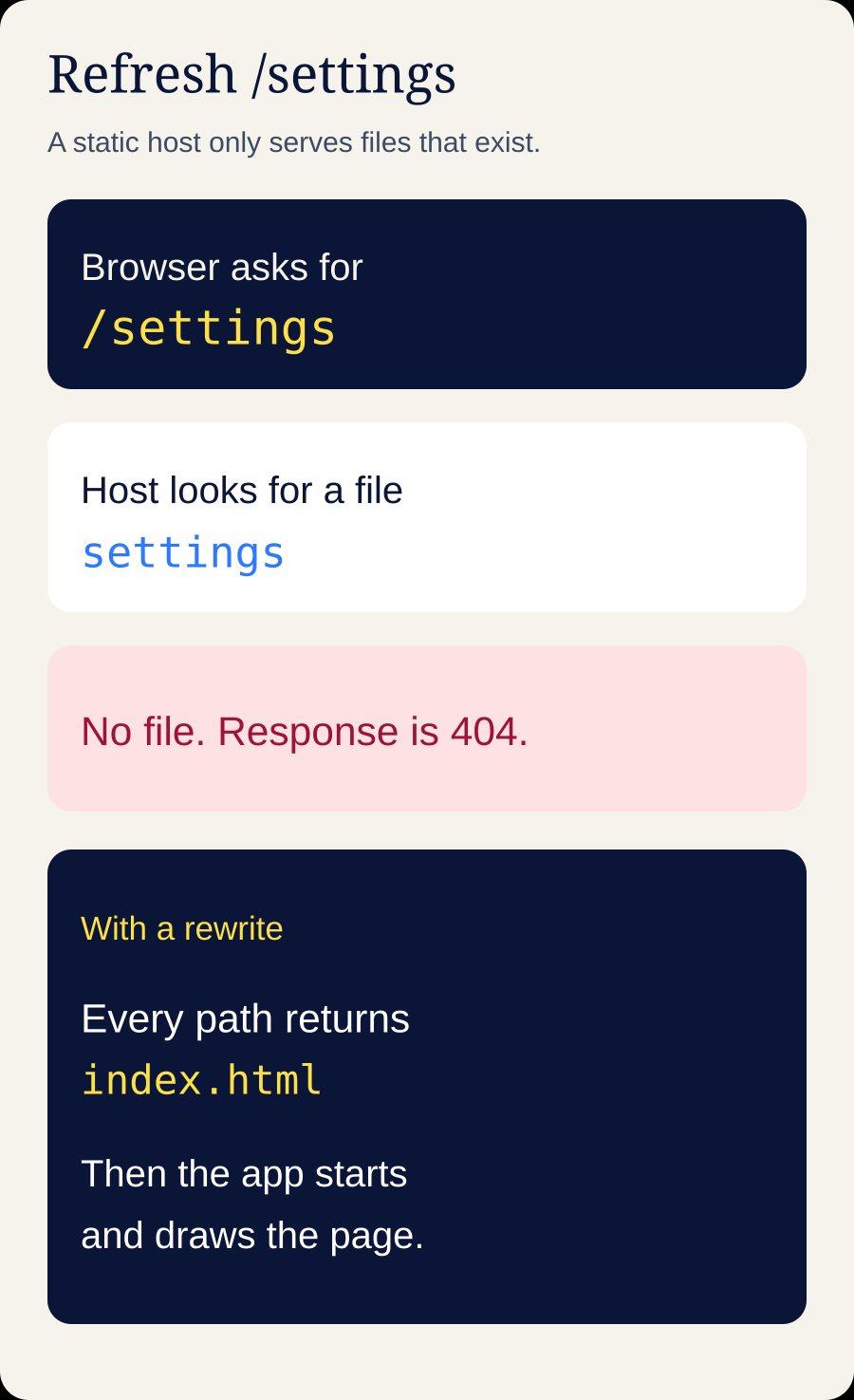
The home page loads. A click through to /settings loads too, because the app was already running and the router handled the click. Paste /settings into a new tab, or refresh, and Vercel returns its own 404. The preview never did this. Its development server answers every path with index.html.
A static Vite app has no file at /settings. The router that understands that path lives in the JavaScript bundle, and the bundle runs only after the server has returned index.html. Vercel looks for a file, finds none, and sends the 404 page. The app never starts.
Vercel serves a real file before it applies a rewrite, so /assets/index‑abc123.js is still that file. Every other path can fall through to index.html. For a Vite app, add this vercel.json at the repository root and redeploy:
{
  "rewrites": [
    { "source": "/(.*)", "destination": "/index.html" }
  ]
}
Refresh /settings, then one other route. You should get the app both times. Leave this file out of a TanStack Start project or any other app with a server: those requests have to reach the server, and rewriting them to index.html turns a 404 into a button that does nothing. A dist folder of assets is the static case. A server bundle means you configure the server. A 404 on / itself is different again. The output directory is wrong, or the build never emitted index.html, and a rewrite cannot invent that file.
Fix the blank page
Vite reads import.meta.env.VITE_* while it compiles and writes the values into the JavaScript it uploads. It does not read them again when a visitor opens the site. A variable added in Vercel after the build, or a value that lives only in a local .env, never enters that bundle. The client then builds a Supabase URL from the string undefined. The page is white, and the console shows a request to https://undefined.
Keep .env out of Git and copy the values into Vercel. The laptop file is not part of the production build.
List the variables the preview uses. Usual names are
VITE_SUPABASE_URLandVITE_SUPABASE_ANON_KEY. Newer projects call the second oneVITE_SUPABASE_PUBLISHABLE_KEY. Search the repo forimport.meta.envand use the names you find.In Vercel, add them under Project Settings, Environment Variables, for Production. If production has its own Supabase project, use that URL and key. The preview database is how test rows and test payments reach customers.
Redeploy. Saving a variable does not rewrite a deployment that already finished. Vite has already stored the missing values in that bundle as
undefined.Open the new deployment, not a cached tab. The loaded JavaScript should contain your real Supabase host. If it still says undefined, you are looking at the build from before the variable existed.
The anon key, also called the publishable key, belongs in the browser. The service‑role key does not: it bypasses row level security. If a variable name contains SERVICE_ROLE or SECRET and starts with VITE_, Vite has copied that secret into the bundle. Remove it, rotate the key in Supabase, and move the call to a server function. If you cannot tell the keys apart, stop publishing. Which key can run where, and a migration history you can replay, is database development.
Fix the login that returns to localhost
After sign‑in, Supabase sends the browser to the Site URL in its dashboard, unless the redirectTo value in the code is on the allow list. A Site URL of http://localhost:5173, with the Vercel address missing from that list, means sign‑in finishes and then leaves for an address that exists only on your machine. A Lovable preview URL left in the same field does the same thing.
In Supabase, open Authentication, then URL Configuration. Set Site URL to the production origin,
https://yourdomain.com, with no path.Search the repo for
redirectTo,emailRedirectTo, andsignInWithOAuth. If the code passeswindow.location.origin, allow each origin you actually use: the production domain, and one stable Vercel hostname for testing. Skip a blankethttps://*.vercel.app/**entry. That pattern lets any Vercel project start your login flow.When Google sign‑in goes through Supabase, the redirect URI in Google Cloud is
https://<project-ref>.supabase.co/auth/v1/callback. The Vercel domain belongs on Supabase's allow list. It belongs in Google's list only when the code calls Google directly. Search forlocalhostandlovable.appbeside the sign‑in call. A hardcoded preview URL beats the dashboard.
Test in a private window. A normal window is often still signed into the preview, so the redirect bug stays hidden.
Fix empty data after a successful deploy
An HTTP 200 with an empty list is not an outage. With row level security on, Postgres returns the rows this user may see, and an empty set is still a success. The preview looked full because you were the project owner, security was off, or the query used a key that skips policies.
Are you signed in on the production URL? Without a session, every query runs as the anonymous role, and a policy written for
auth.uid()matches nobody.In the network tab, open the request to
rest/v1/. An empty array with status 200 means a policy filtered the rows. A 401 means the key or the session is wrong.In Supabase, enable row level security on every table that holds a person's data, with a select policy that compares
auth.uid()to the owner column. Security on, and no policy, means nobody can read. Security off means anyone with the anon key can read, and that key is public.
If you cannot point at the column that records who owns a row, do not write the policy yet. A policy copied from an article will either lock out the real owner or open the table.
What you can finish yourself
The list below is configuration. It is enough when the project is still close to what the generator produced, and you can still say what each screen is for.
The
vercel.jsonrewrite, and only when the build is a static Vite app.Production environment variables, a new deployment, and a check that the bundle contains the real Supabase host.
The Site URL and redirect allow list, tested in a private window through sign‑up, sign‑in, and sign‑out.
A
productionbranch, so the next prompt does not deploy itself.One pass, by someone who is not you, through the action the app exists to perform, on the production URL.
That pass is the only safety net many of these repos have, and it gets skipped once the chat says the bug is fixed. Testing and code review is how it keeps running after the code changes.
When another prompt will make it worse
Stop prompting, and stop deploying, when any of these are true.
The last few prompts fixed the screen you named and broke one you were not looking at. The model edits the code the request puts in front of it. It does not keep a map of every caller. If that loop is now the whole project, start with what to do when prompting has become a second job.
You cannot name the file that owns login, the function that writes a row, and the table that row lands in.
Schema changes live only in the Supabase dashboard, with no
supabase/migrationshistory. A database you cannot recreate cannot be changed safely a second time.Money is on the path: Stripe keys, a subscription, or a checkout that sometimes writes two records. An idempotency key and a webhook you can replay are the repair, and they are not another prompt.
A secret has shipped in client code, or row level security has been off on a table with real people's data. Rotating the key, and deciding what to tell those people, is separate from adding a feature.
Hand the repository to someone who will ship it
Deploying a Lovable app on Vercel stays a configuration job while the checks above still explain the failure. Work them in order: the build log, the output folder, the rewrite or the server, the variables inside a fresh build, the auth URLs, then one real user against row level security. If that path holds on the production URL, the app is in production.
Three prompts past the last version that worked, send the repository instead of another message to the chat. EWS Automation takes over the project, reads the code the preview has been papering over, and ships it on infrastructure you control. Branches, environments, and a release that happens the same way every time are deployment and delivery. Taking the application apart so a person can review a change before it ships is web development.
Tell us what the app is supposed to do. Bring the URL that fails and the last version that worked. We will take it from that repository to a domain you own.
Preview works. Production should too.
Send the repository. EWS will take over the project, fix what is actually broken, and ship it.
Talk through your projectRelated Articles

New row violates row‑level security policy: fix the Supabase insert
The table editor saves the row. The app returns “new row violates row‑level security policy.” Read the failure and fix the write.
EWS Automation
“It still doesn’t work. Fix it.” Sound familiar?
When prompting becomes a second job, it may be time to hand the development to a team.
EWS AutomationReady to put AI to work in your business?
Bring the idea or the workflow. We’ll help you find a useful next step.
Schedule a free consultation